

Multi-page and artboards
Ads, Social, Video, and DOOH presets, rulers, snap, and Easy Mode for beginners.

Design
Layers, masks, pen tool, blend modes, and PSD/AI/Figma import with editable layers. Built for people who can tell a pixel apart — in the browser, nothing to install.
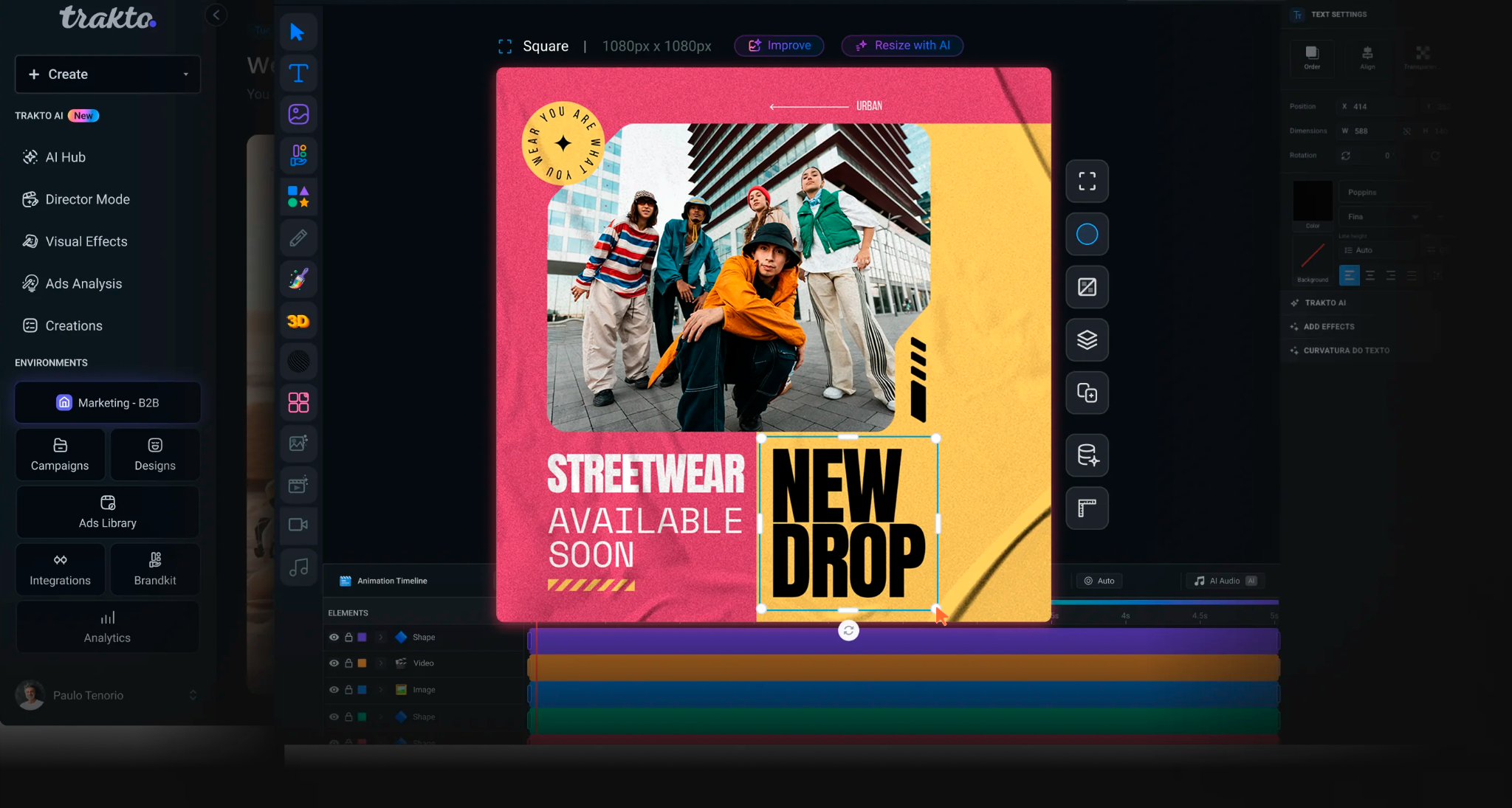
Prompt, template, blank page — or import PSD, AI, PDF, and Figma with live layers.
Background, remove-bg, text and image variations, Magic Brush. It all becomes an editable layer.
Masks, blend modes, curved text, shaders. Export PNG, PDF, MP4 up to 8K, HTML5, or PSD.
Who it's for
For people Canva feels like a toy to, Figma won't export as an ad, and Photoshop won't animate: designers and art directors at agencies or brand teams who need fine control on a campaign deadline.
What's actually real
None of this is roadmap — it's what's in the product today.
Ads, Social, Video, and DOOH presets, rulers, snap, and Easy Mode for beginners.
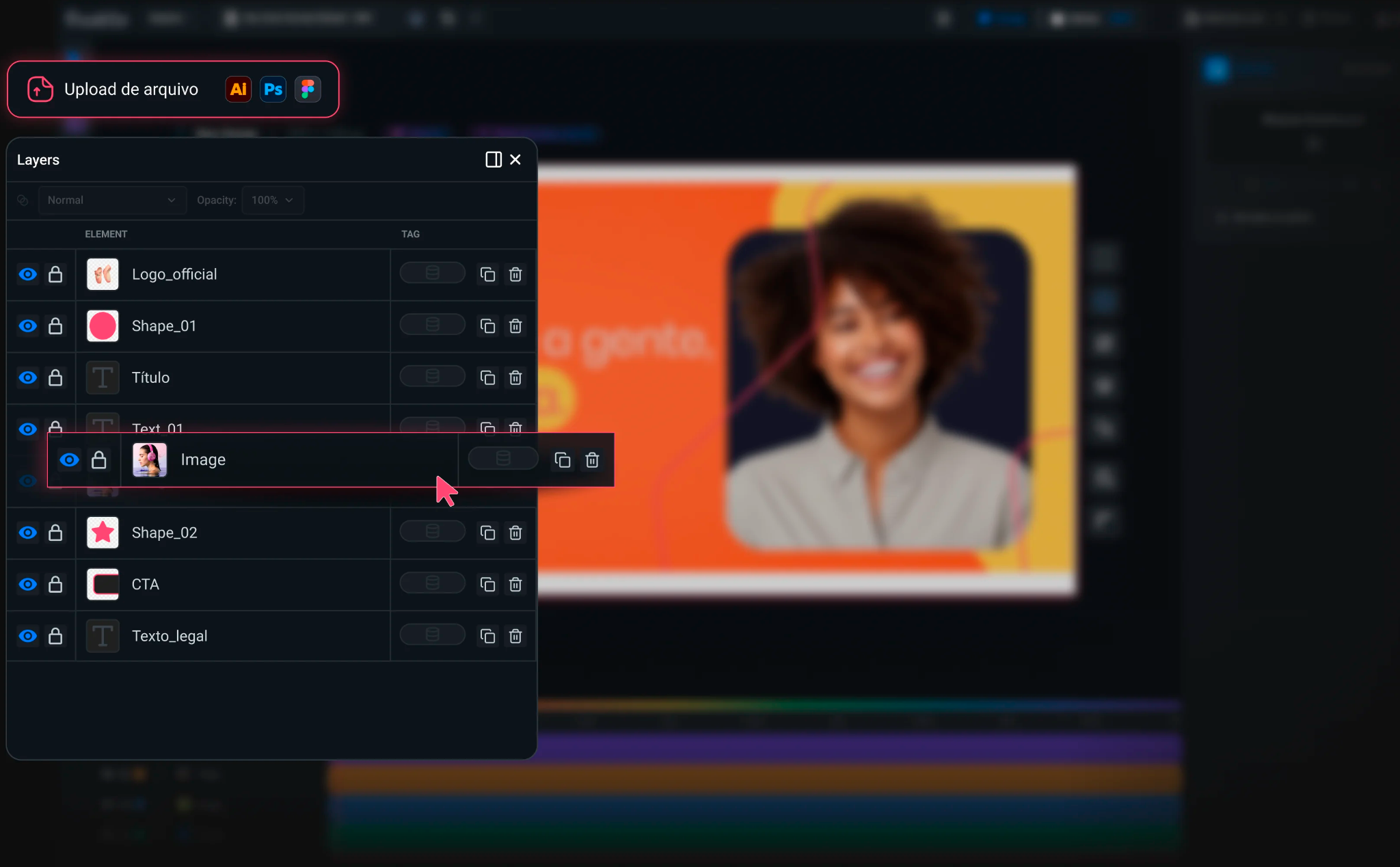
Groups, precomps, align/distribute, 15+ blend modes, 3D transform, and batch editing.
Google Fonts, Brand Kit fonts, or TTF upload. Auto-fit, curved and warped text, text → SVG.
Pen tool, editable SVG (recolor, explode), and paste straight from Illustrator.

Shape and paint masks, remove-bg, adjustments, filters, duotone, and auto enhance.

25+ WebGL effects — liquid metal, holographic, glitch — applied as a layer.

Paint an area and turn it into a generated image or video, in the exact spot.

PSD, AI, PDF, and Figma (OAuth) come in with layers. Unsplash and Giphy right inside the editor.

PNG, PDF, MP4 up to 8K, HTML5 with clickTag and Google Ads validator (Pro), PSD (Pro).
Questions that reach us
No. Canva is template-first; Trakto is layer-first: masks, pen tool, blend modes, precomps, and PSD/Figma import with editable layers. Templates exist, but pixel control is the center of it.
Yes. PSD, AI, PDF, and Figma come in with layers — text stays text, images stay images. You can also copy and paste from Figma and Illustrator. PSD and Figma import are part of the Teams plan.
PNG, PDF, MP4 up to 8K, HTML5 with clickTag and Google Ads validator (Pro), and PSD (Pro).
No. Everything runs in the browser, including WebGL shaders and video rendering.